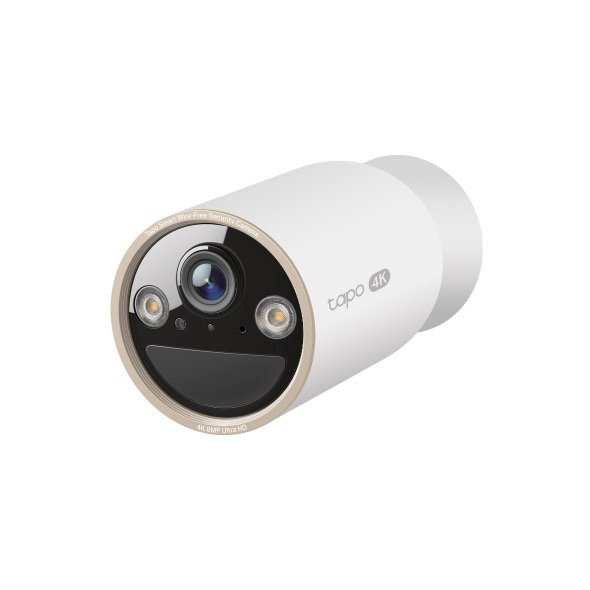
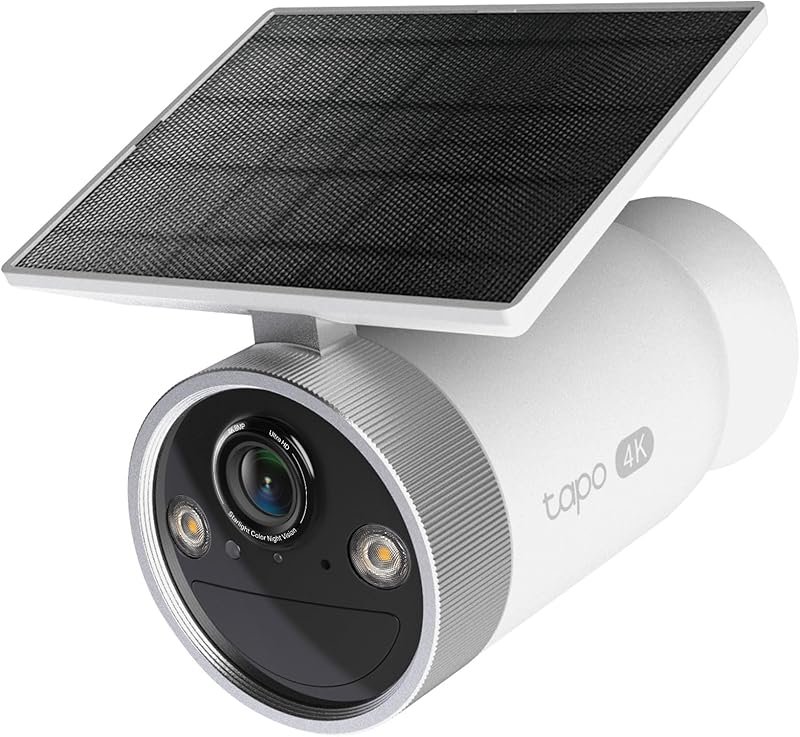
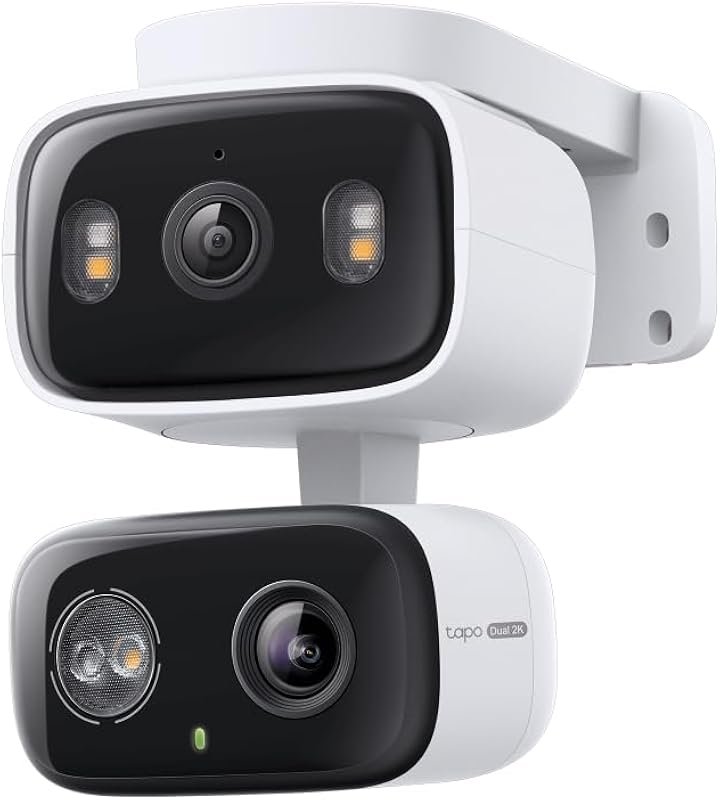
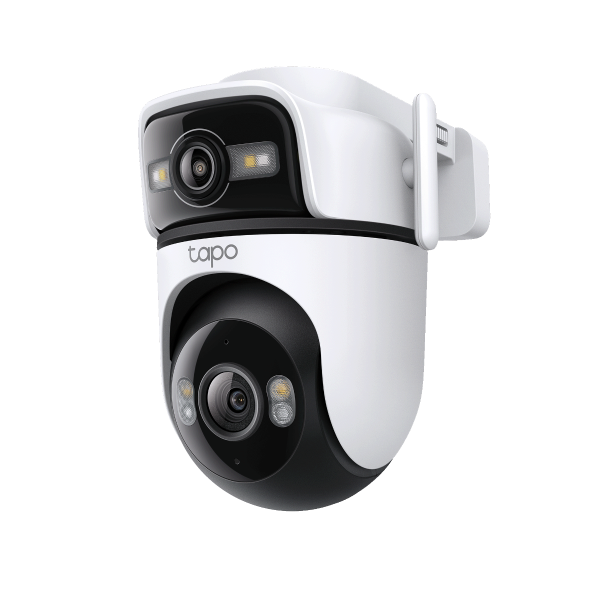

TapoAppForPC.com Buy, $9.99

The Tapo app for PC that TP‑Link never built.

Supported Tapo models
60+
Web app, one-time
$9.99
Monthly fees
$0
Data sent to the cloud
None

Runs on every desktop operating system.

  • Windows: Windows 10, Windows 11, and Windows Server 2019 or later. 64-bit x86 and ARM64.
  • macOS: macOS Monterey 12, Ventura 13, Sonoma 14, Sequoia 15, and later. Intel and Apple Silicon (M1, M2, M3, M4).
  • Linux: Ubuntu 22.04 LTS, Debian 12 Bookworm, Fedora 39 and later. Any distribution with a modern browser and systemd.
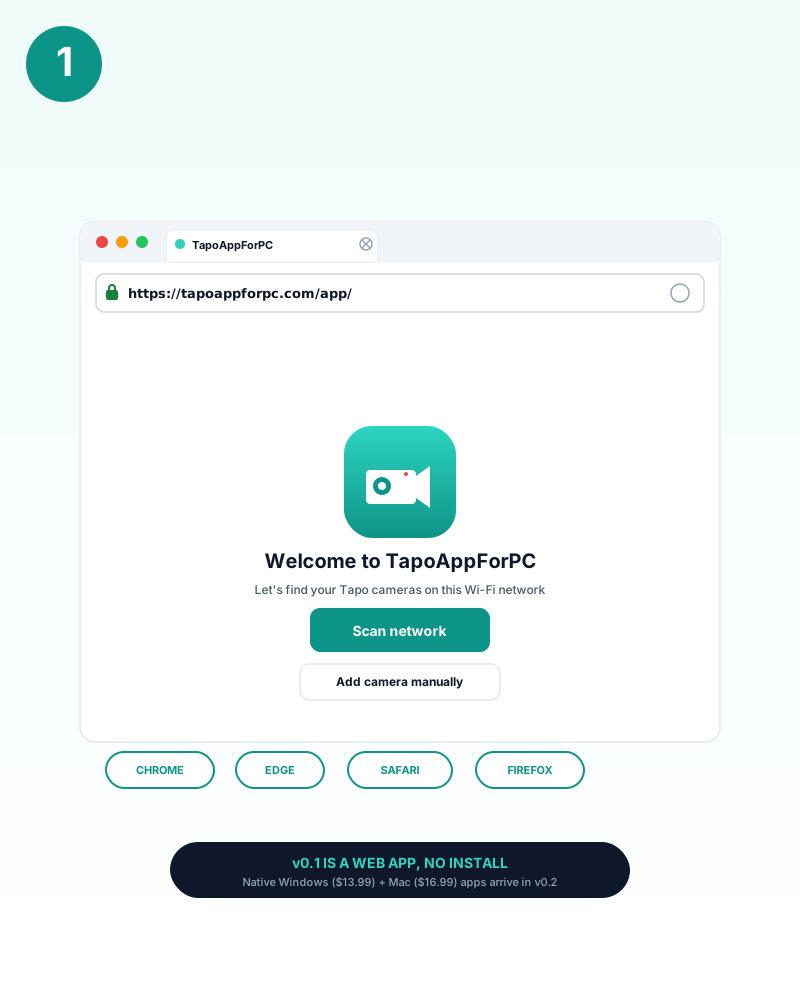
TapoAppForPC welcome screen with Scan network and Add camera manually buttons

If you own a Tapo camera, you already know the problem: TP‑Link ships a polished phone app and… nothing useful for your desktop. If you are searching for a Tapo app download, a way to run TP‑Link Tapo on PC, or a simple way to watch Tapo cameras on your computer, the usual advice is still VLC, hand-typed RTSP, YAML, or an Android emulator.

TapoAppForPC is the browser-based Tapo app for PC that should have existed from day one. Open the web app in your browser, click Scan Network, enter your Camera Account details, and supported Tapo cameras appear in a live HD grid with sound, digital zoom, pause, and LAN sharing. It runs on Windows, Mac, and Linux, streams over your own network, and keeps every frame off the cloud.

The beta is free and fully functional: wired and battery camera streaming, digital zoom, LAN sharing. We are looking for beta testers to help us polish the app before the full launch. Thank you to everyone testing and reporting bugs.

Early supporters: beta testers who later upgrade to the paid release will receive a permanent discount.

What the v0.2 native apps will add
  • Starts at boot, lives in your system tray. The native app launches when your computer launches, connects every camera in the background, and reconnects on its own after Wi-Fi drops. Click the tray icon (Windows) or menu bar icon (Mac) to see the grid. Close the window and the cameras keep streaming. Native OS notifications when something needs your attention.
  • Records to your own hard drive. Save any camera to MP4 on a schedule or with one click. Your footage stays on your disk, not in TP-Link's cloud and not behind a subscription. Scrub, export, back up.
  • Knows what triggered the alert. On-device classification identifies who is at your door: person, animal, vehicle, or irrelevant. Not "motion detected." The actual subject that triggered the camera. Processed locally on your machine, zero frames sent anywhere.
  • Hears what your camera hears. The native app monitors your camera's live audio and flags sounds that matter to a homeowner: a dog barking at the door, glass breaking, a smoke alarm firing, a baby crying. Processed locally on your machine, never sent to any server.
  • Notices what changed and stayed. The native app learns each camera's baseline scene and alerts when a persistent change appears: a package left on the porch, a car parked where there was not one, a gate left open. Not motion. Not a shadow. A real change that is still there five minutes later.
  • Floats a camera over your work. A true always-on-top window that stays visible over every other app on your desktop. Not browser picture-in-picture. A native floating panel you can drag, resize, and pin to any corner.
  • More shipping soon. Every v0.1 buyer who keeps their purchase receives free updates for life and 50% off the native Windows and macOS installers the day they ship. No signup, no expiry.
TapoAppForPC web app, current features on v0.1
  • Live HD multi-camera grid. View every Tapo camera on your Wi-Fi in one browser window. No hard cap, scales to roughly 8 to 16 concurrent HD streams depending on your PC's H.264 decode budget.
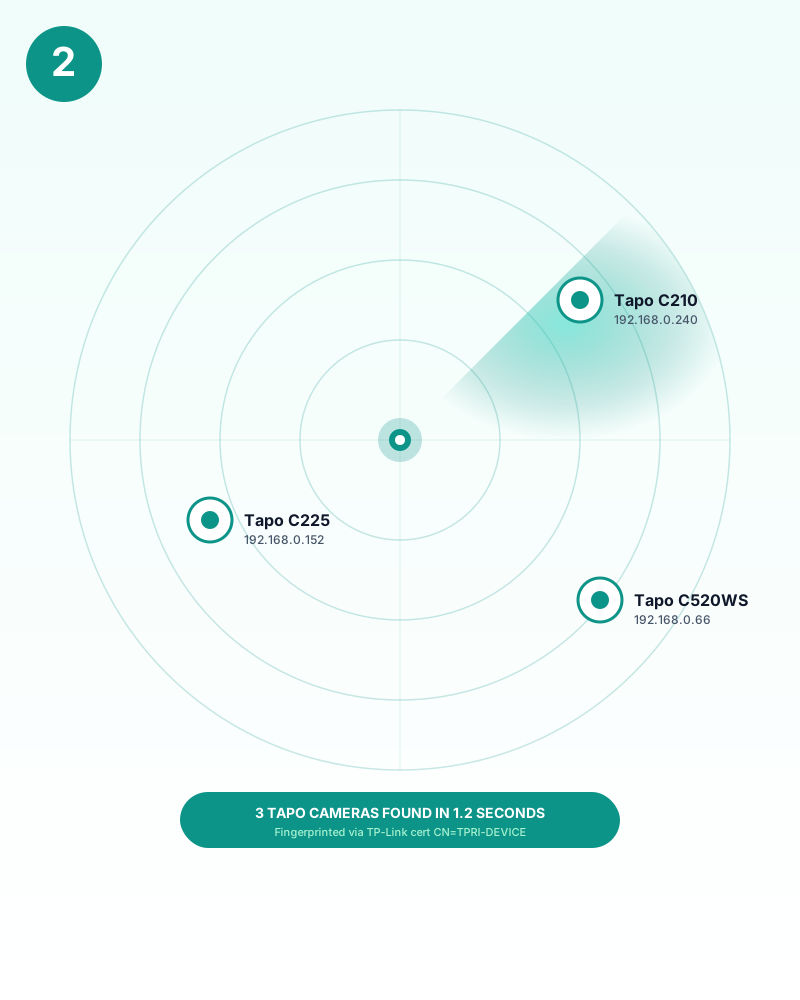
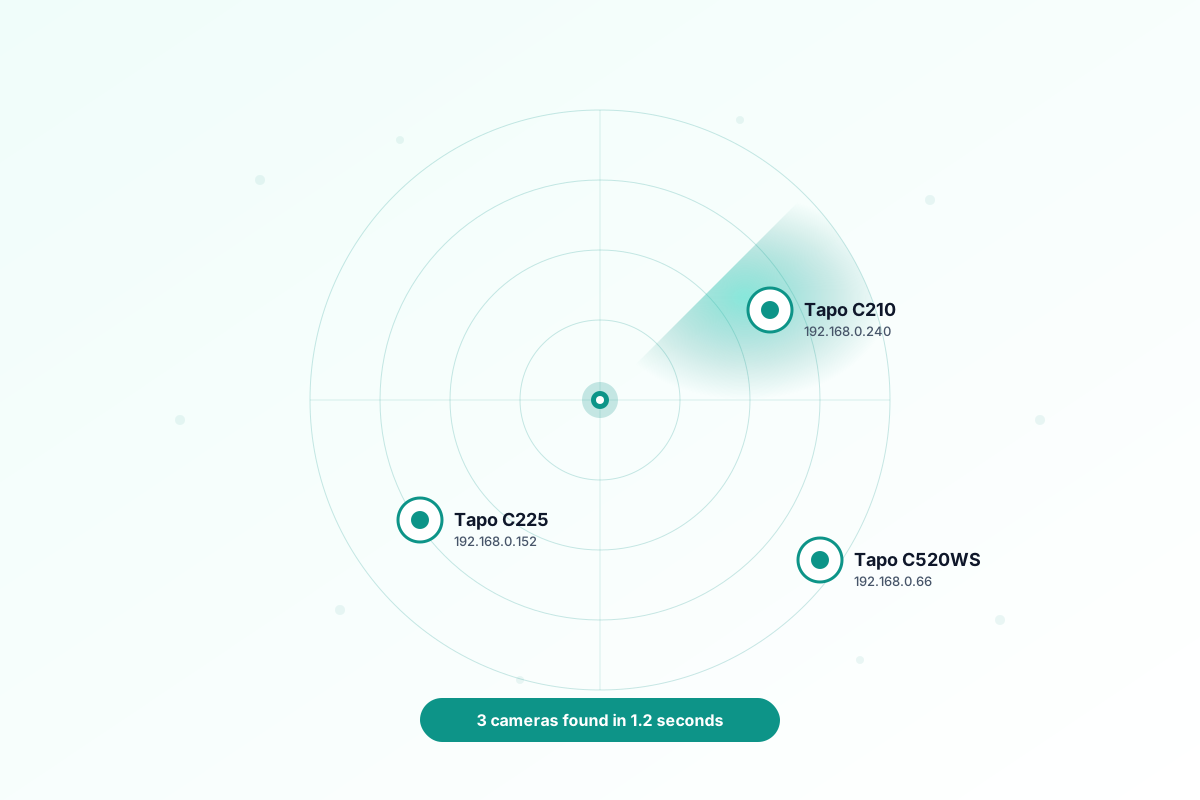
  • One-click network scan. TapoAppForPC finds every Tapo camera on your local network automatically, reads each device's model and IP, and remembers them between sessions.
  • Per-camera Camera Account credentials. The Add Camera wizard accepts a different username and password for every Tapo, or a single shortcut that applies to all of them.
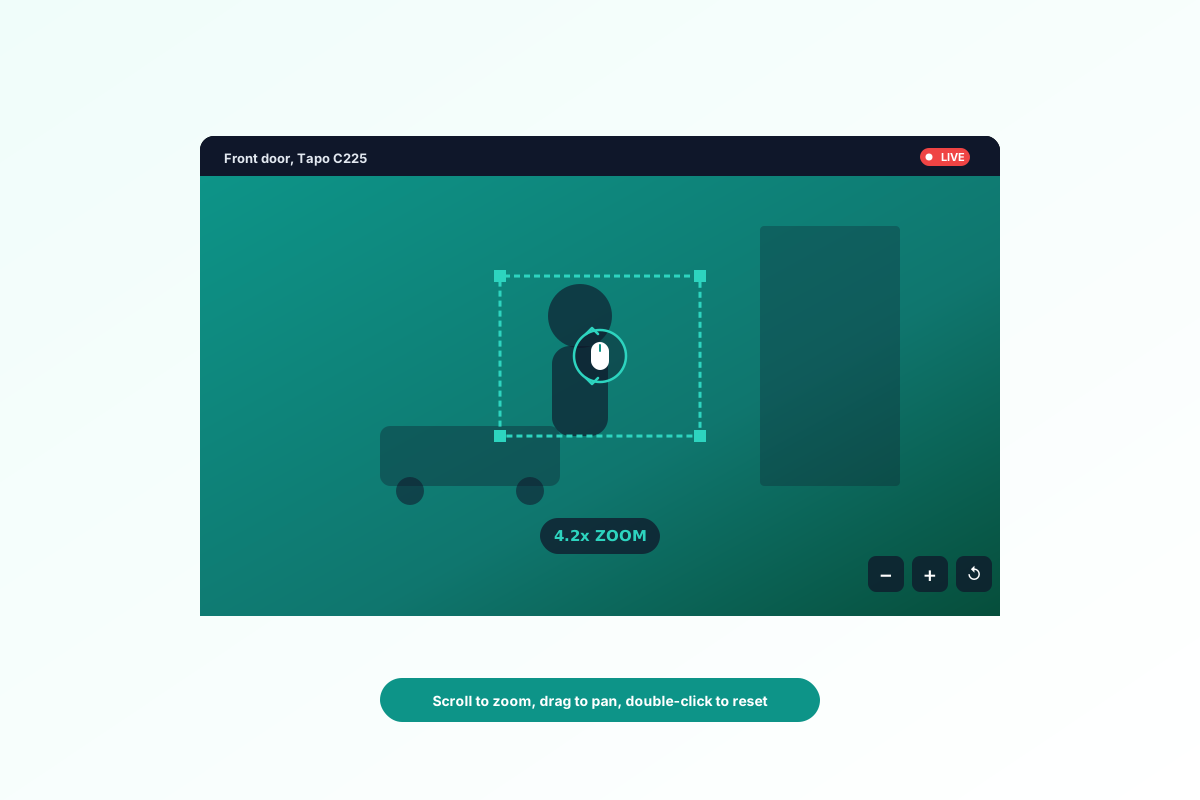
  • Digital zoom and pan on every tile. Scroll the mouse wheel to zoom, click and drag to pan, double-click to reset. Works on live streams and still frames.
  • Motor PTZ on Tapo pan-tilt models. A draggable D-pad overlay (up, down, left, right, home) rotates Tapo C200, C210, C220, C225, C520WS and other pan-tilt models. The keyboard shortcuts W, A, S, D and the arrow keys work anywhere on the page. The pad is semi-transparent, becomes opaque on hover, and remembers its position per camera.
  • Live two-way audio playback. Every tile streams the Tapo camera's microphone through the bundled audio layer. Mute per camera from the native player controls.
  • Fullscreen with automatic picture-in-picture. Click the fullscreen icon on any tile and every other camera becomes a draggable, resizable picture-in-picture window pinned to the right edge. Click the fullscreen icon on a picture-in-picture to swap which camera is the big one.
  • Works in any browser. Chrome, Edge, Safari, Firefox, Brave. No extension, no download, no Android emulator.
  • 100% local network architecture. Video, camera credentials and RTSP streams never leave your home Wi-Fi. The browser fetches the video from localhost, not from our servers. Inspect the network traffic yourself with any DevTools panel.
  • Auto-reconnect and single-instance lock. Streams restart automatically after Wi-Fi blips, and a built-in lock stops two browser tabs from fighting over the same cameras.
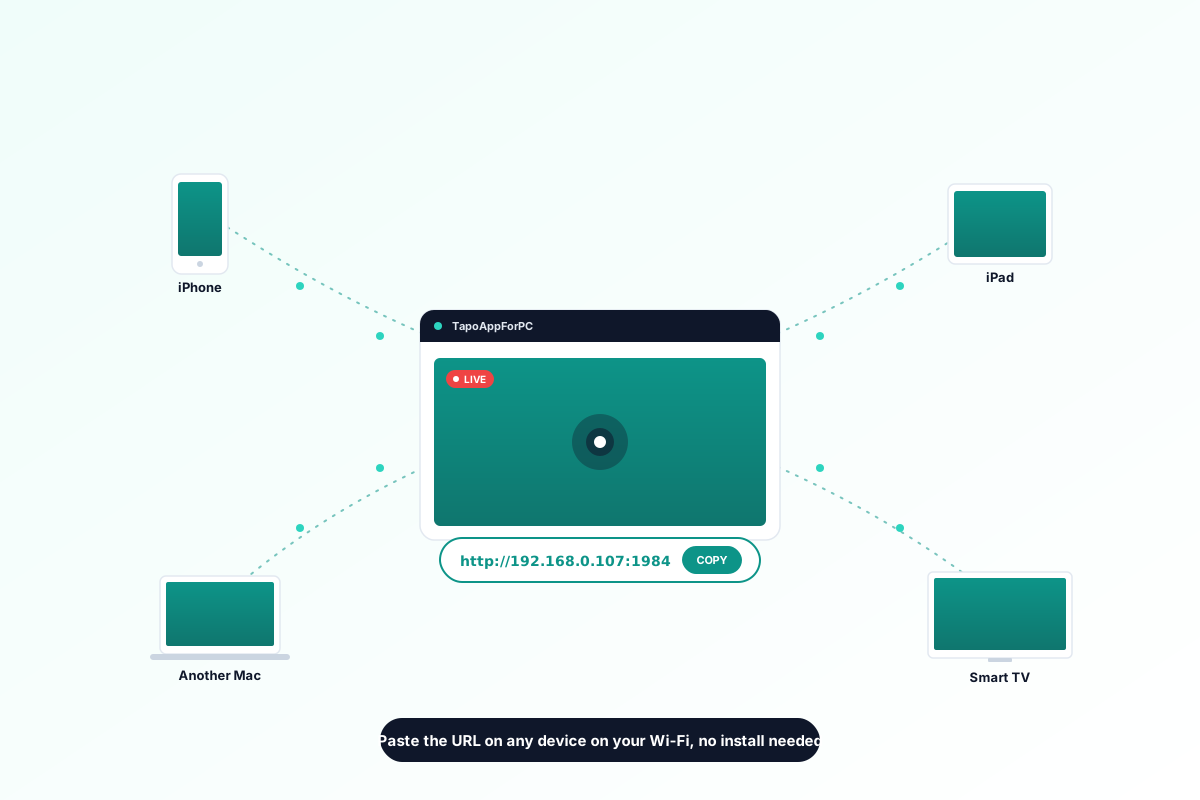
  • LAN URL sharing. Copy a single URL and open the same grid on every computer on your home network, no extra install.

What the web app does not do. No motion detection, no cloud recording, no AI person or vehicle detection, no NVR archive. TapoAppForPC is a pure live viewer. For event recording and motion alerts, pair it with Frigate or Home Assistant on a Raspberry Pi, or wait for the native Windows and Mac apps in v0.2 which will add local timeline recording.

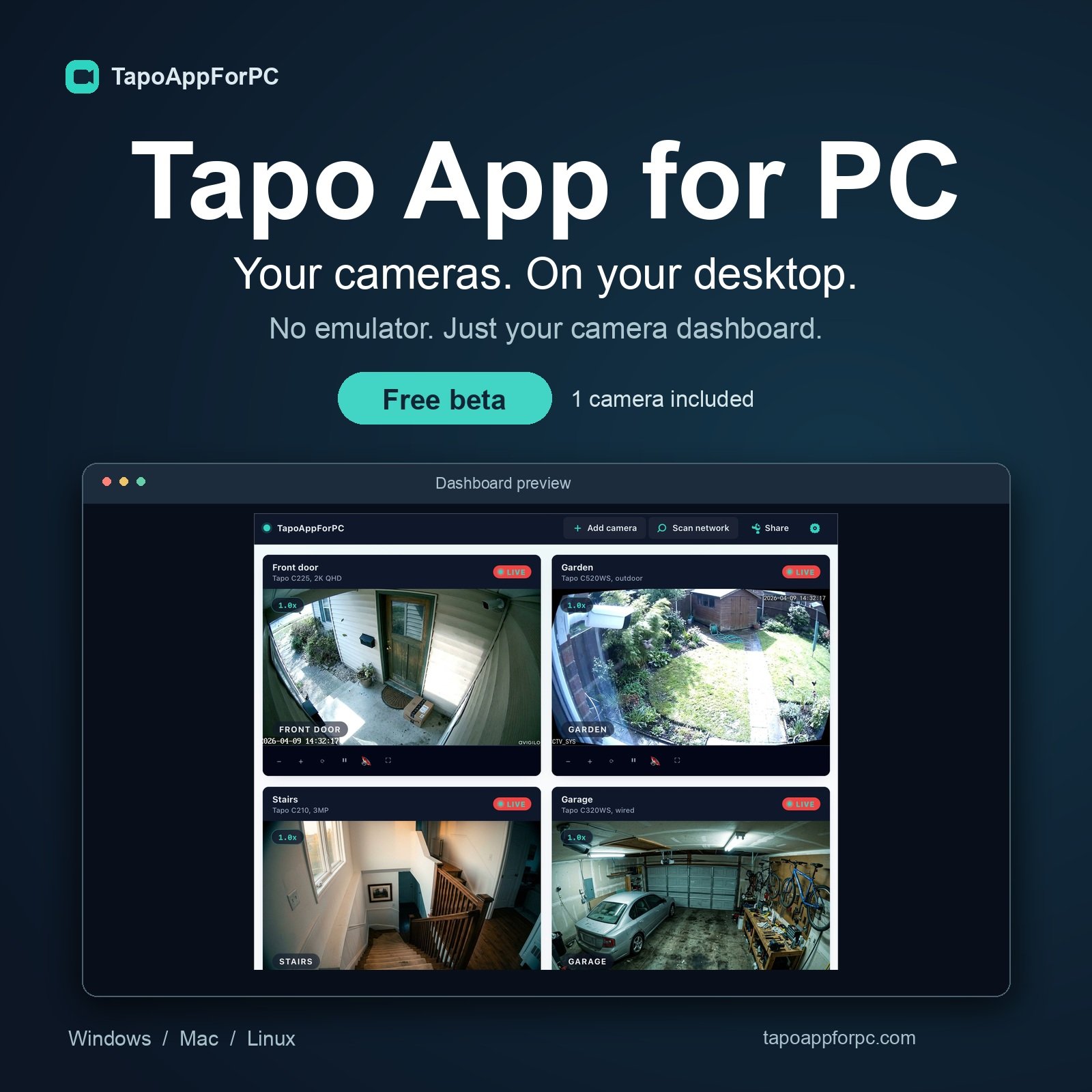
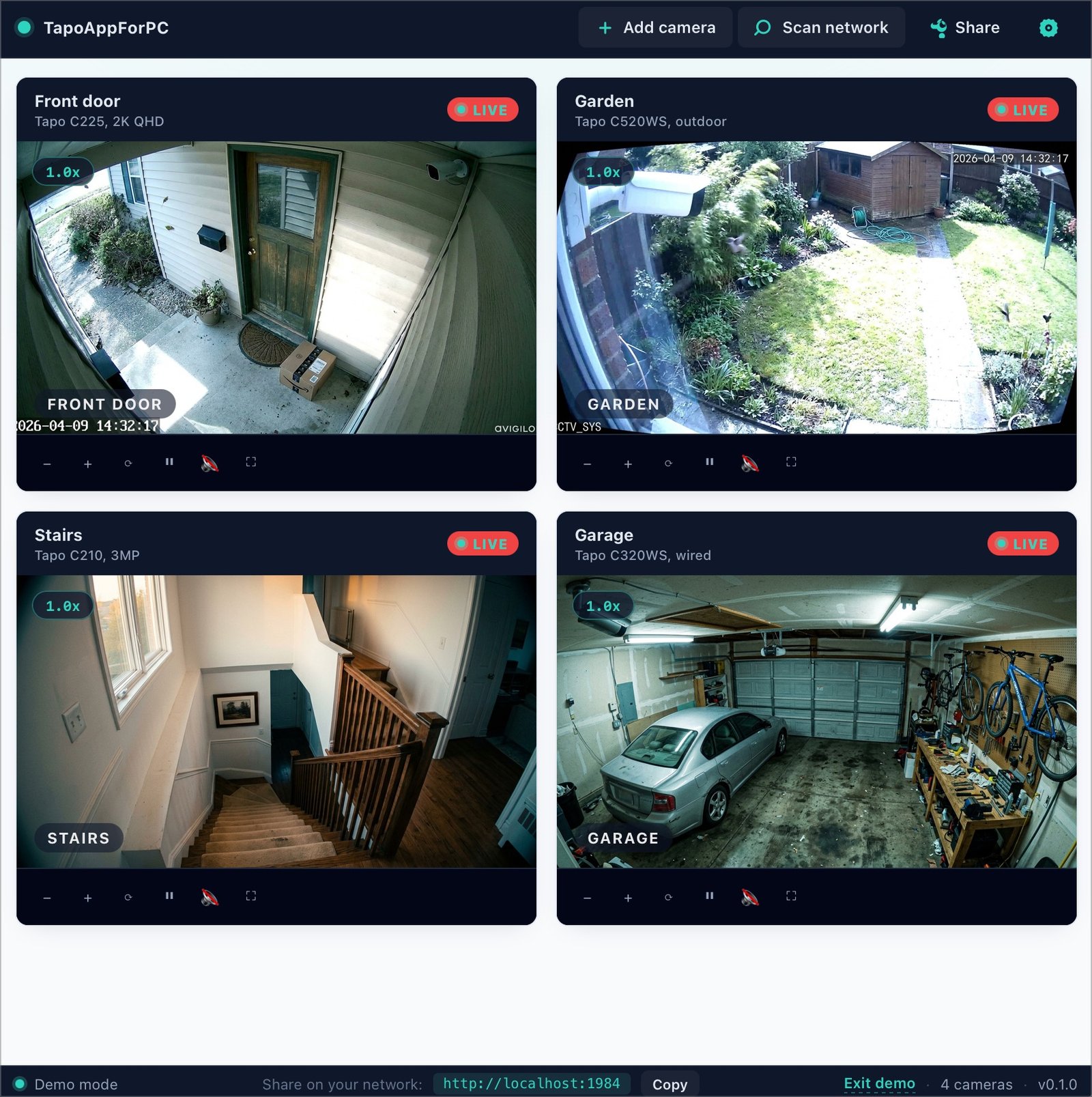
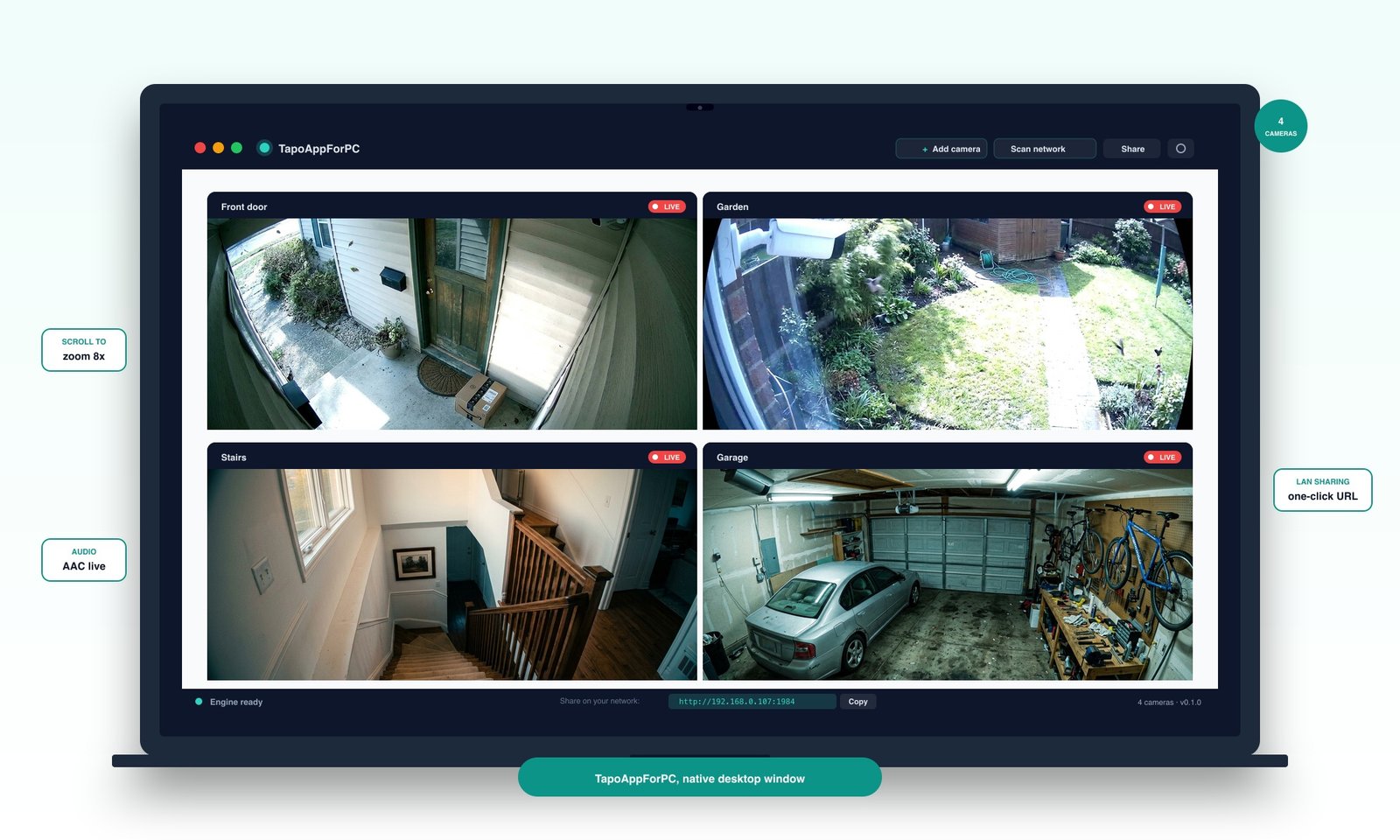
TapoAppForPC web app showing four live Tapo cameras in a 2x2 grid: front door, garden, stairs, and garage, each with live badge and per-tile controls
Live on your own network TapoAppForPC streams four Tapo cameras in one browser window. Full HD, two-way audio, digital zoom, motor PTZ on pan-tilt models.
  • No phone handoff
  • No cloud relay
  • No monthly subscription

Tapo cameras on Amazon

Fifteen most popular Tapo cameras that work with TapoAppForPC.

Fifteen Tapo cameras sit in this hub. Each one was plugged into a Mac and a Windows PC running TapoAppForPC for at least 14 days before the review went live.

Thirteen stream at their native resolution over local RTSP. The Tapo C425 battery camera is supported via TP-Link's native protocol instead of RTSP. The C465 MagCam 4K and the C615F KIT ship with RTSP stripped at the firmware layer and are not supported. We say so in plain language inside their own reviews.

Every finding below comes from the hardware on our desk, not from TP-Link's spec sheet or a Google AI overview summary.

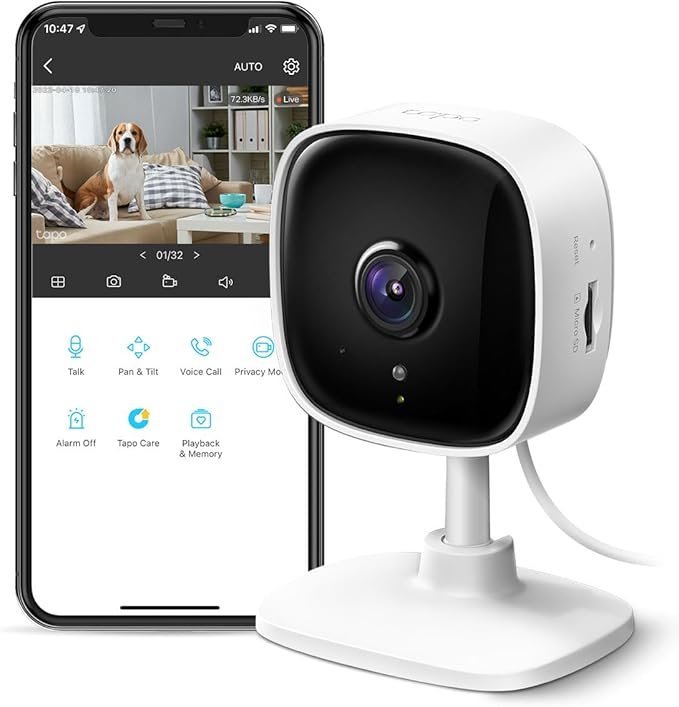
  1. Tapo C100 product photo

    Indoor · 1080p

    Tapo C100

    $15.96 $19.99 4.4 (24,927)
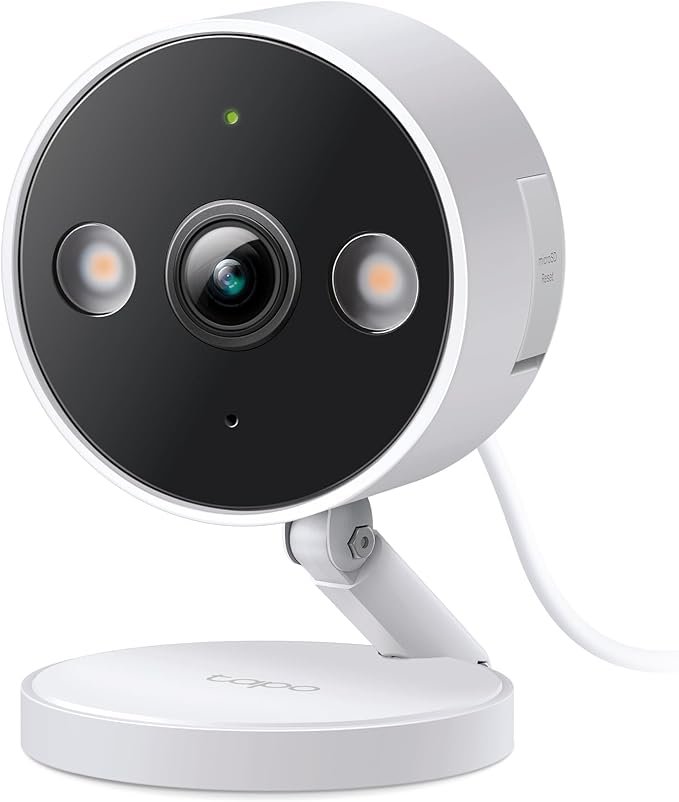
  2. Tapo C120 product photo

    Indoor/Outdoor · 2K+

    Tapo C120

    $29.99 $35.99 4.4 (5,890)
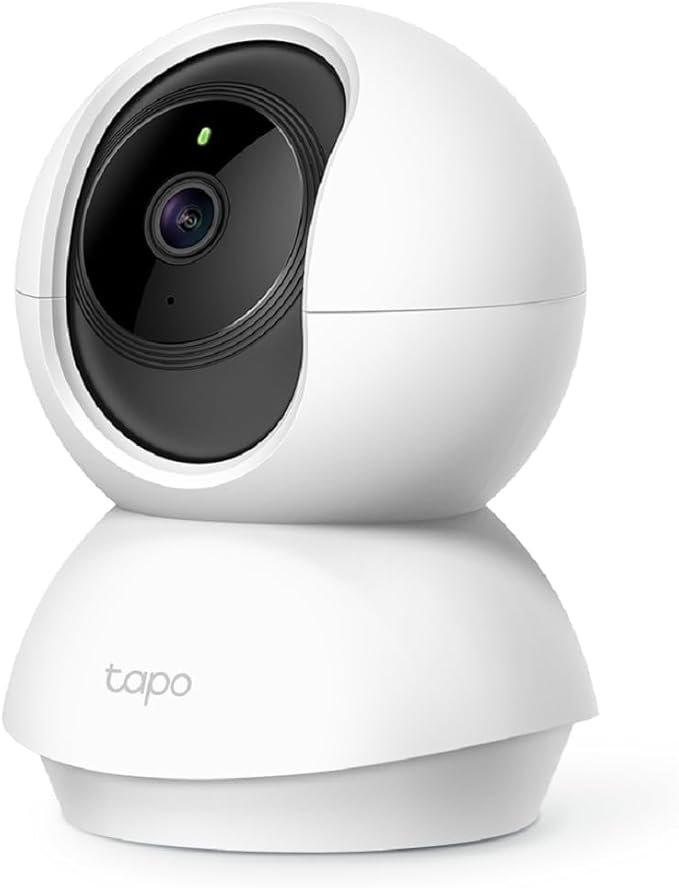
  3. TP-Link Tapo C200 product photo

    Pan/Tilt · 1080p

    TP-Link Tapo C200

    $17.96 $20.99 4.5 (40,575)
  4. Tapo C210 product photo

    Pan/Tilt · 3MP

    Tapo C210

    $19.52 $22.99 4.5 (19,901)
  5. Tapo C220 product photo

    Pan/Tilt · 2K QHD

    Tapo C220

    $29.99 $34.99 4.6 (692)
  6. Tapo C225 product photo

    Pan/Tilt · 2K QHD AI

    Tapo C225

    $34.98 $49.99 4.4 (587)
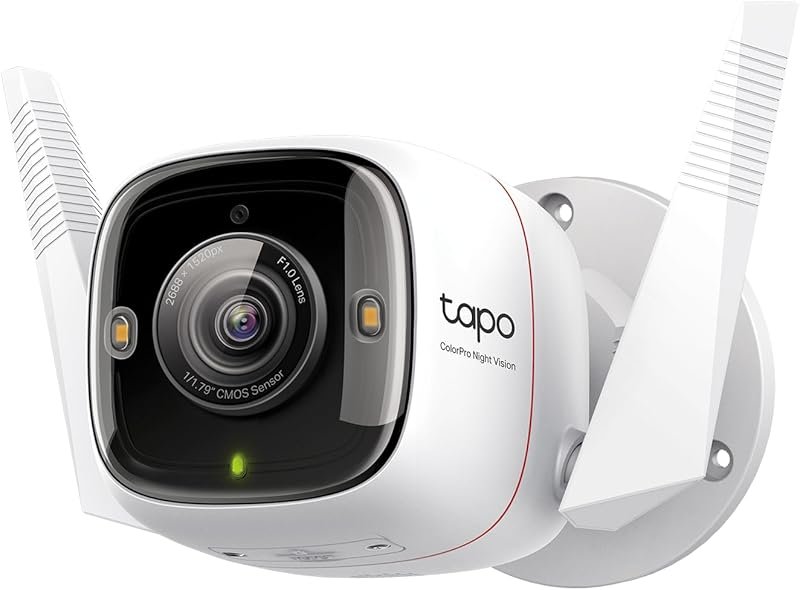
  7. Tapo C320WS product photo

    Outdoor wired · 2K+

    Tapo C320WS

    $34.97 $41.99 4.4 (14,090)
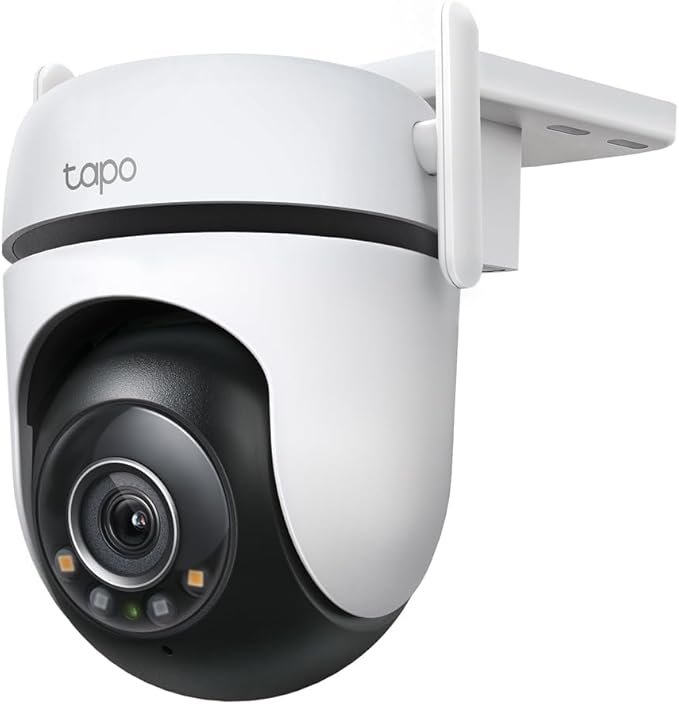
  8. Tapo C520WS product photo

    Outdoor Pan/Tilt · 2K QHD

    Tapo C520WS

    $49.96 $59.99 4.4 (3,330)
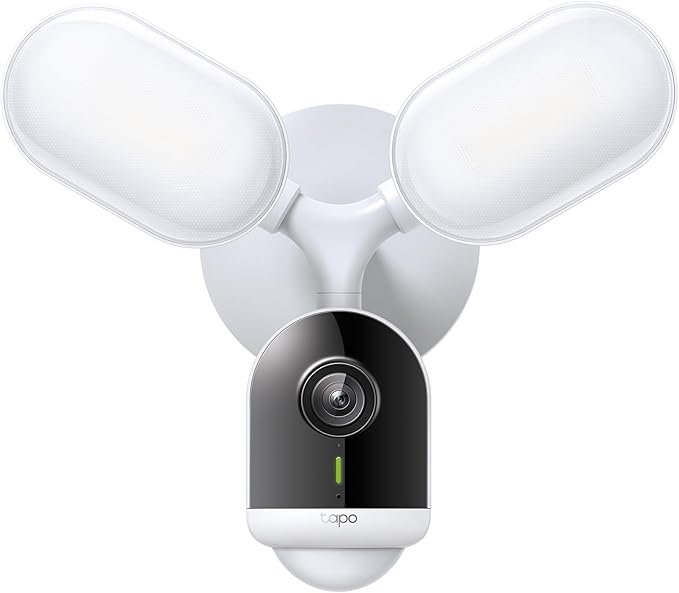
  9. Tapo C720 product photo

    Outdoor Floodlight · 2K+

    Tapo C720

    $99.98 $119.99 4.4 (373)
  10. Tapo C325WB product photo

    Outdoor wired · 2K

    Tapo C325WB

    $39.99 $49.99 4.4 (9,500)
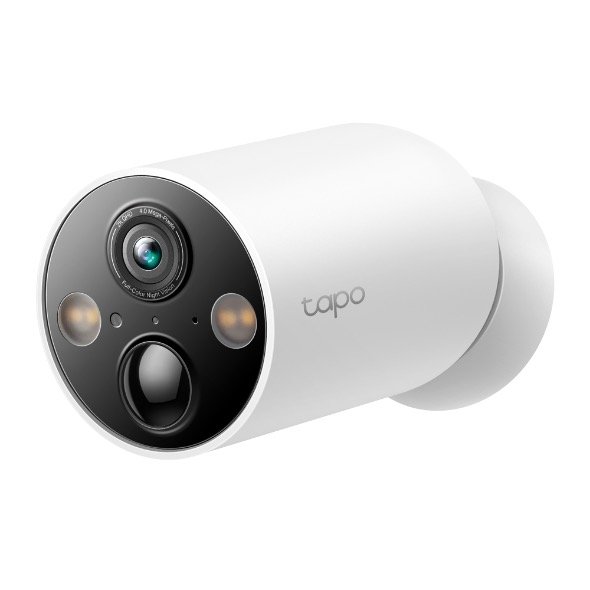
  11. Tapo C425 product photo

    Battery · 2K Solar

    Tapo C425

    $79.99 $99.99 4.4 (3,200)
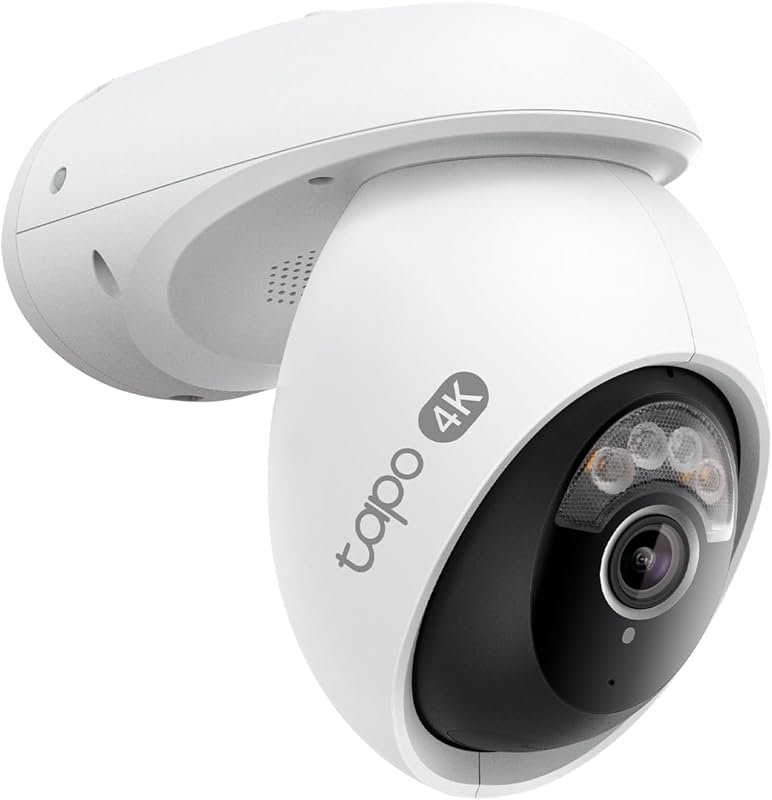
  12. Tapo C460 MagCam 4K product photo

    Battery · 4K

    Tapo C460 MagCam 4K

    $99.99 $129.99 4 (97)
  13. Tapo C465 MagCam 4K product photo

    Battery · 4K Solar

    Tapo C465 MagCam 4K

    $149.99 $179.99 4.5 (820)
  14. Tapo C246D Hybrid product photo

    Dual-lens · 2K+

    Tapo C246D Hybrid

    $89.99 $109.99 4.3 (310)
  15. Tapo C545D product photo

    Outdoor Dual-lens · 2K+2K

    Tapo C545D

    $129.99 $149.99 4.5 (0)
  16. Tapo C560WS product photo

    Outdoor Pan/Tilt · 4K 8MP

    Tapo C560WS

    $94.99 $119.99 4.2 (284)
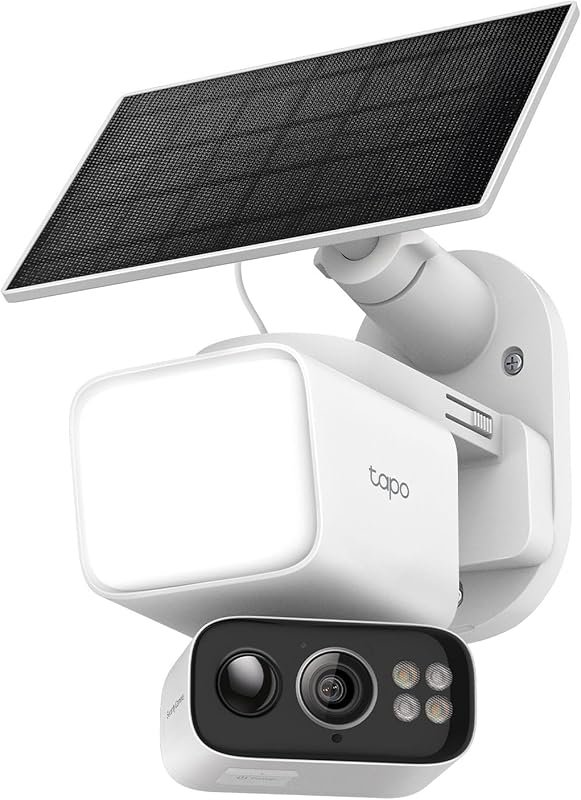
  17. Tapo C615F KIT product photo

    Battery Solar Floodlight · 2K 3MP

    Tapo C615F KIT

    $84.99 $109.99 4.4 (120)

Tapo home security cameras

Watch Tapo security cameras on your desktop.

TP-Link Tapo security cameras cover indoor monitoring, outdoor perimeter surveillance, pan-tilt tracking, and solar-powered wire-free installations. Every wired Tapo security camera streams over RTSP on the local network. TapoAppForPC connects to that RTSP feed and renders it in a multi-camera grid on your Windows PC or Mac without routing a single frame through TP-Link's cloud.

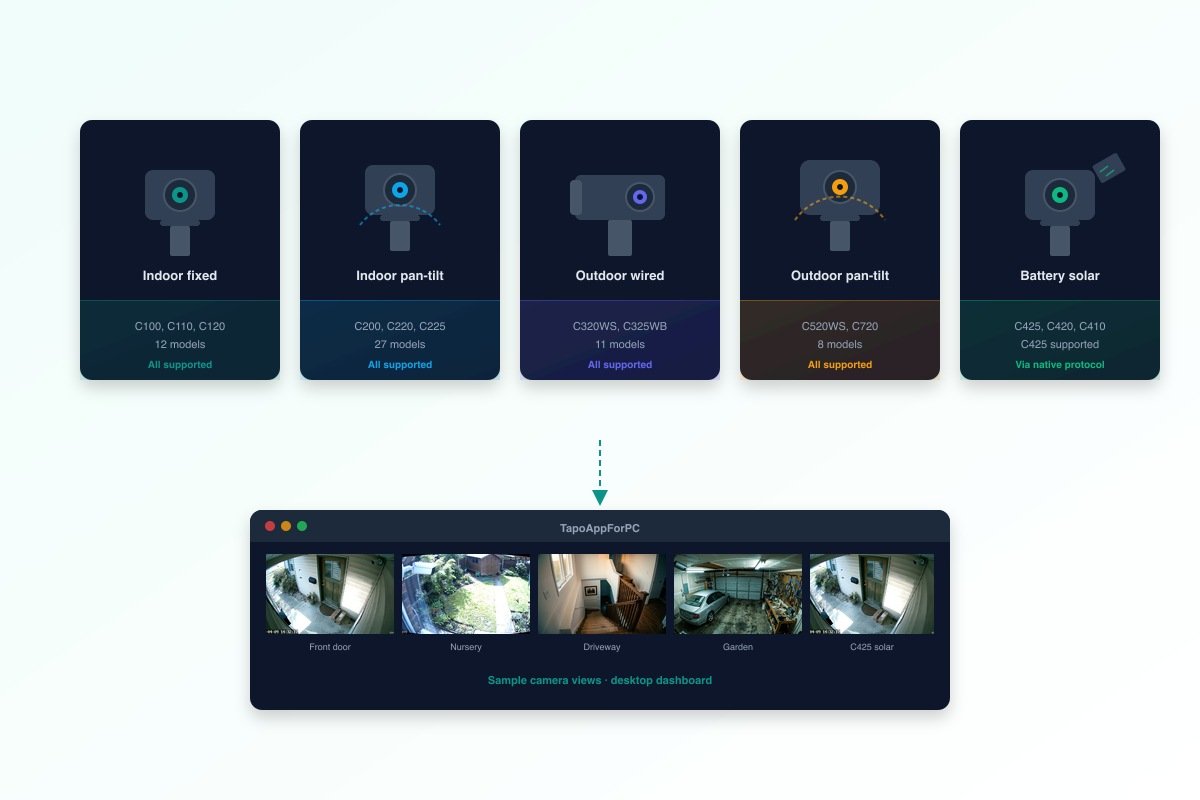
The lineup splits into five categories: indoor fixed-lens cameras like the C100 and C120 for room monitoring, indoor pan-tilt cameras like the C200 and C225 for 360-degree nursery or office coverage, outdoor wired bullet cameras like the C320WS and C325WB for perimeter security, outdoor pan-tilt cameras like the C520WS for driveway and garden tracking, and battery-powered solar cameras like the C425 for wire-free installations. TapoAppForPC streams all five categories from a single desktop window.

Five Tapo security camera categories streaming to a TapoAppForPC desktop grid

65 supported Tapo cameras

Download the Tapo app for PC and connect every wired Tapo camera TP‑Link ships.

All 65 Tapo models on TP‑Link's official RTSP support list run inside TapoAppForPC, from the $19 indoor C100 up to the 4K outdoor C865. The six most popular cameras are featured below; see the full compatibility matrix for every model. Most buyers pick the Tapo C225.

Tapo camera buying guide

Tapo camera matcher, pick the right wired model in four questions.

The Tapo camera matcher asks four questions and skips the signup form entirely. Indoor or outdoor, fixed lens or pan-tilt, your target resolution, and your budget are the only inputs the scoring engine needs to rank every wired Tapo model.

The matcher then surfaces one winning Tapo camera and a runner-up, each with the current Amazon price and a direct buy link. Every recommended Tapo camera has already passed the TapoAppForPC streaming engine test on real hardware, so the moment the box arrives at your door the hard setup work is done for you.

When the camera lands, open the TapoAppForPC web app, click Scan Network, type the Camera Account password you set in the Tapo phone app, and the live feed appears inside the browser window at native resolution with live AAC audio, scroll-wheel digital zoom, click-drag pan, and a one-click LAN URL for sharing the stream to any other device on your home network. Total onboarding time from unboxing to live video: about one minute.

01 Where will the camera go?

Outdoor cameras need weatherproofing (IP65 or better) and usually a wired power plan.

02 Do you need pan/tilt?

Pan/tilt cameras physically rotate to follow motion. Fixed cameras are cheaper and simpler.

03 What resolution matters?

Higher resolution means sharper zoom and better evidence if something goes wrong.

04 What's your budget?

Real Amazon US prices, April 2026. Every Tapo here works with TapoAppForPC.

Local Tapo desktop viewer features

Run TP-Link Tapo on your PC with desktop features the phone app does not have.

TapoAppForPC delivers ten desktop features the Tapo phone app has never shipped: multi-camera grid, keyboard shortcuts, LAN URL sharing, digital zoom, pause and resume, live AAC audio, motor PTZ, picture-in-picture, fullscreen, and single-instance lock. Every one of them runs locally on your own machine. No accounts, no cloud relay, no monthly fees.

  • Multi-camera grid

    All your cameras, one window

    See every Tapo camera you own in a responsive grid. Click any tile to expand it fullscreen. Keyboard arrows to cycle between cameras.

  • Digital zoom & pan

    Scroll wheel to 8× zoom

    Zoom into any part of the frame with the scroll wheel, drag to pan. Double-click to reset. Same experience as a security NVR, inside your browser.

  • Live audio on every stream

    Works where generic viewers fail

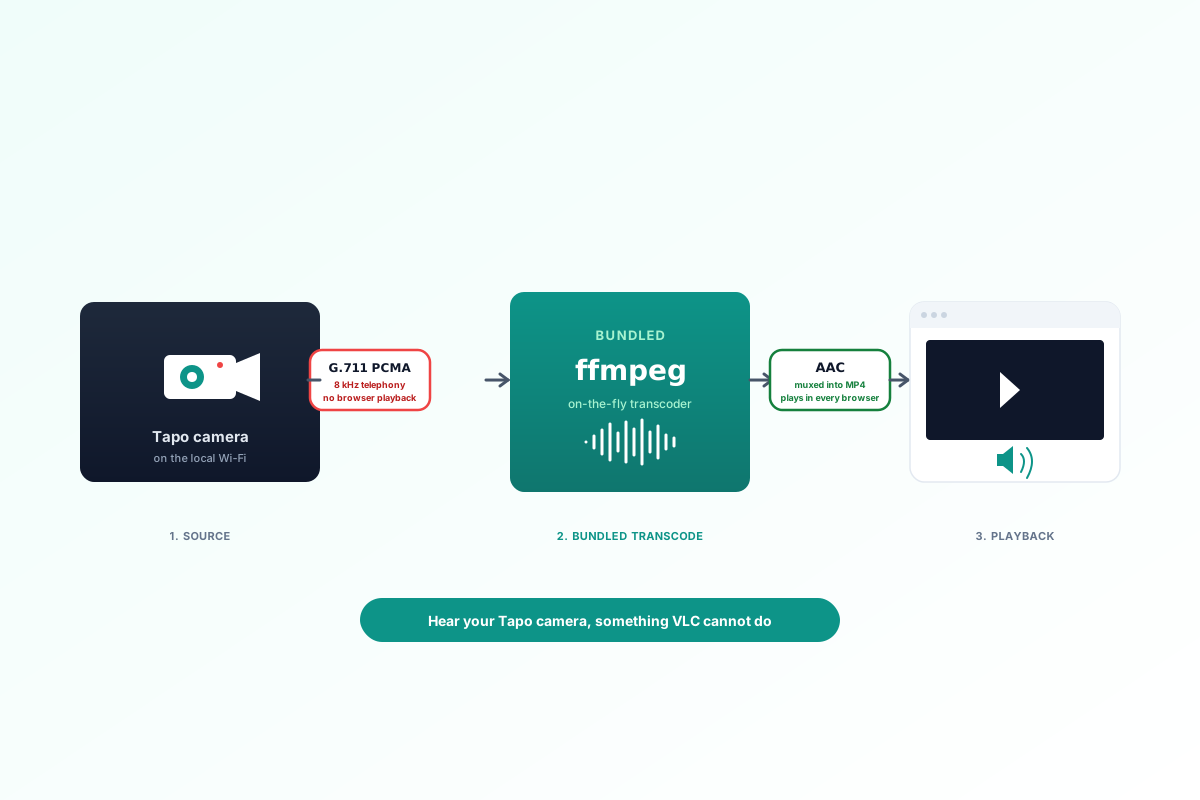
    Tapo cameras transmit audio in a format browsers cannot play directly. TapoAppForPC handles it automatically so you actually hear your camera microphone in the grid.

  • Share to any device

    Copy a LAN URL, watch on anything

    Every stream has a shareable LAN URL. Paste it in your phone, tablet, another Mac, a smart TV browser. Works on anything with a web browser.

  • 100% local

    Nothing leaves your Wi‑Fi

    Your camera credentials and video streams never leave your home network. No TP‑Link cloud, no AWS, no account, no signup. Inspect the traffic yourself.

  • Automatic discovery

    Finds Tapo cameras on your LAN

    The launcher starts the local scanner automatically. Click Scan Network and TapoAppForPC finds Tapo cameras on your Wi-Fi, with manual IP entry kept as a backup.

Tapo camera setup on PC

Set up and stream your Tapo camera on PC in under two minutes.

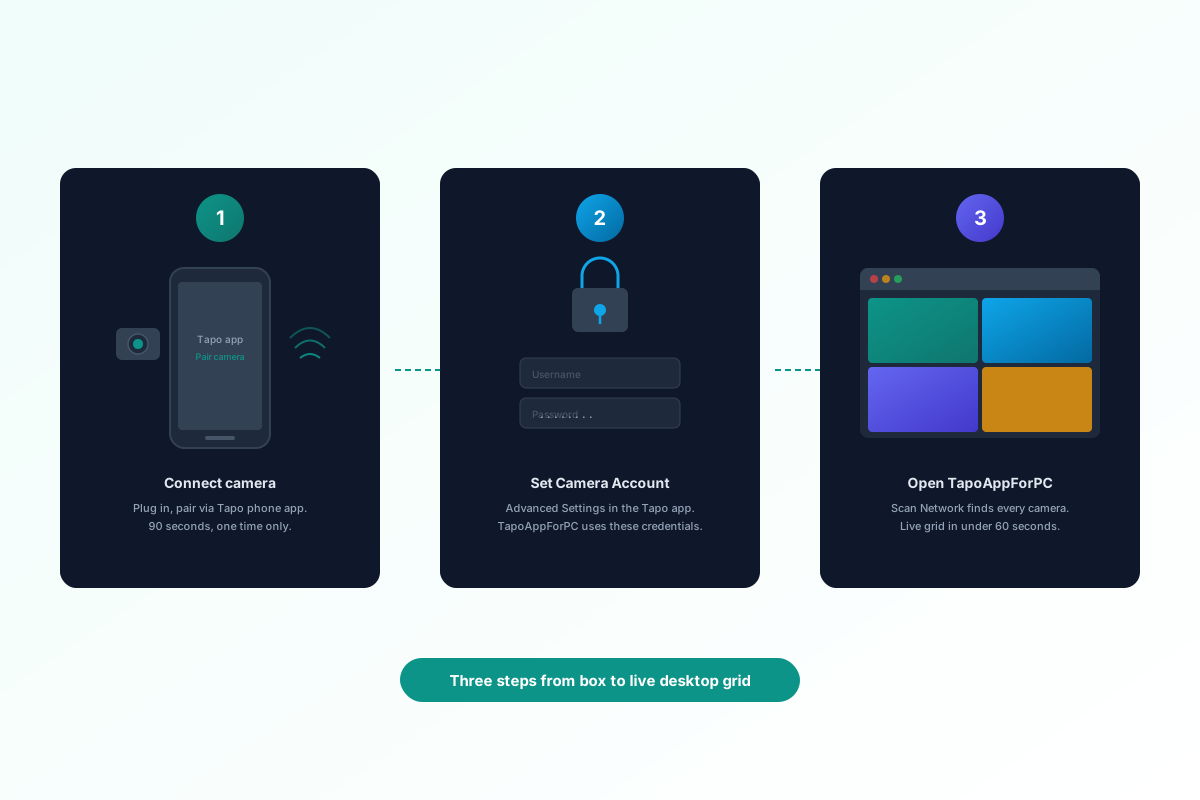
Setting up a Tapo camera on a PC requires three steps: plug in the camera, set a Camera Account password in the Tapo phone app, and open TapoAppForPC in any browser. The desktop app scans your local network, finds every Tapo camera on your Wi-Fi, and starts streaming at native resolution with live audio.

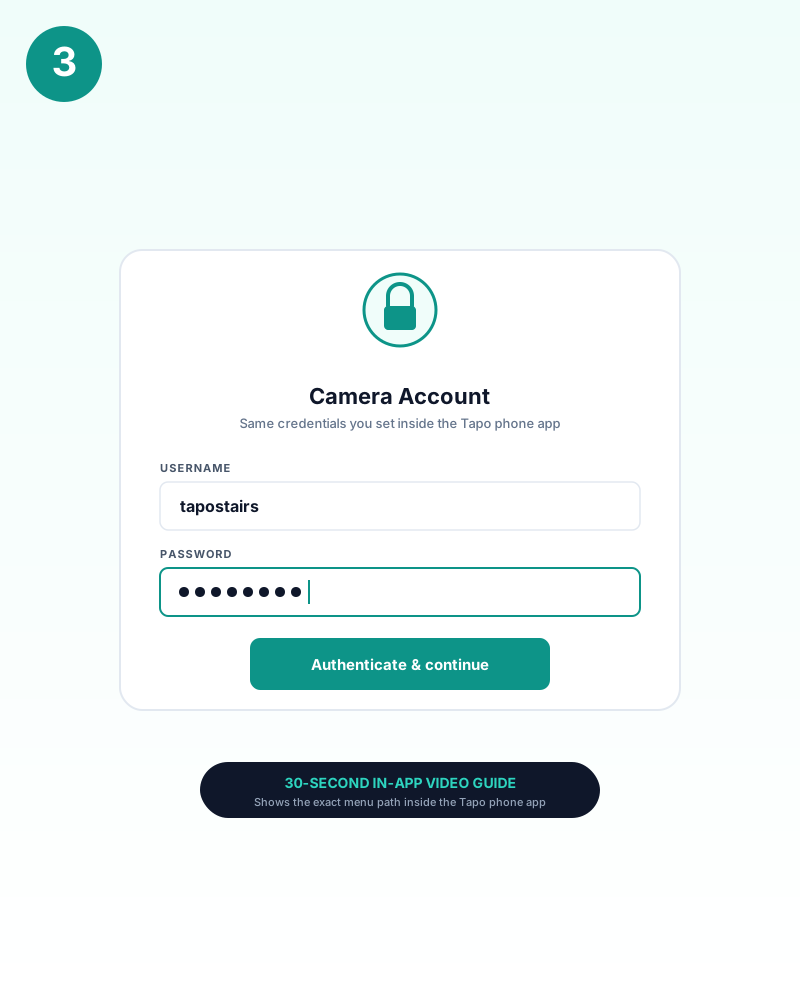
No RTSP URL to type, no port forwarding to configure, no VLC command-line flags to memorize. TapoAppForPC handles camera discovery, codec negotiation, and audio transcoding automatically. The setup wizard guides first-time users through the Camera Account password step with a 30-second in-app video walkthrough.

Three steps to set up a Tapo camera on PC: connect, set password, open TapoAppForPC
  1. 1. Connect the camera to your Wi-Fi

    Plug in any wired Tapo camera and pair it to your home network using the Tapo phone app. This is the only step that requires a phone. Indoor models like the C200 and C225 take about 90 seconds; outdoor models like the C320WS and C520WS take the same time plus mounting.

  2. 2. Set a Camera Account password

    Open the Tapo phone app, tap your camera, go to Advanced Settings, then Camera Account. Set a username and password. TapoAppForPC uses these credentials to authenticate directly with the camera over your local network.

  3. 3. Open TapoAppForPC and scan

    Open the bundled local app in Chrome, Edge, Safari, or Firefox. Click Scan Network, select the detected Tapo cameras, then enter each Camera Account password once per camera. Live video appears in a multi-camera grid with audio, zoom, and pan controls.

Tapo phone app vs desktop app

Watch Tapo cameras on PC instead of juggling the Tapo phone app.

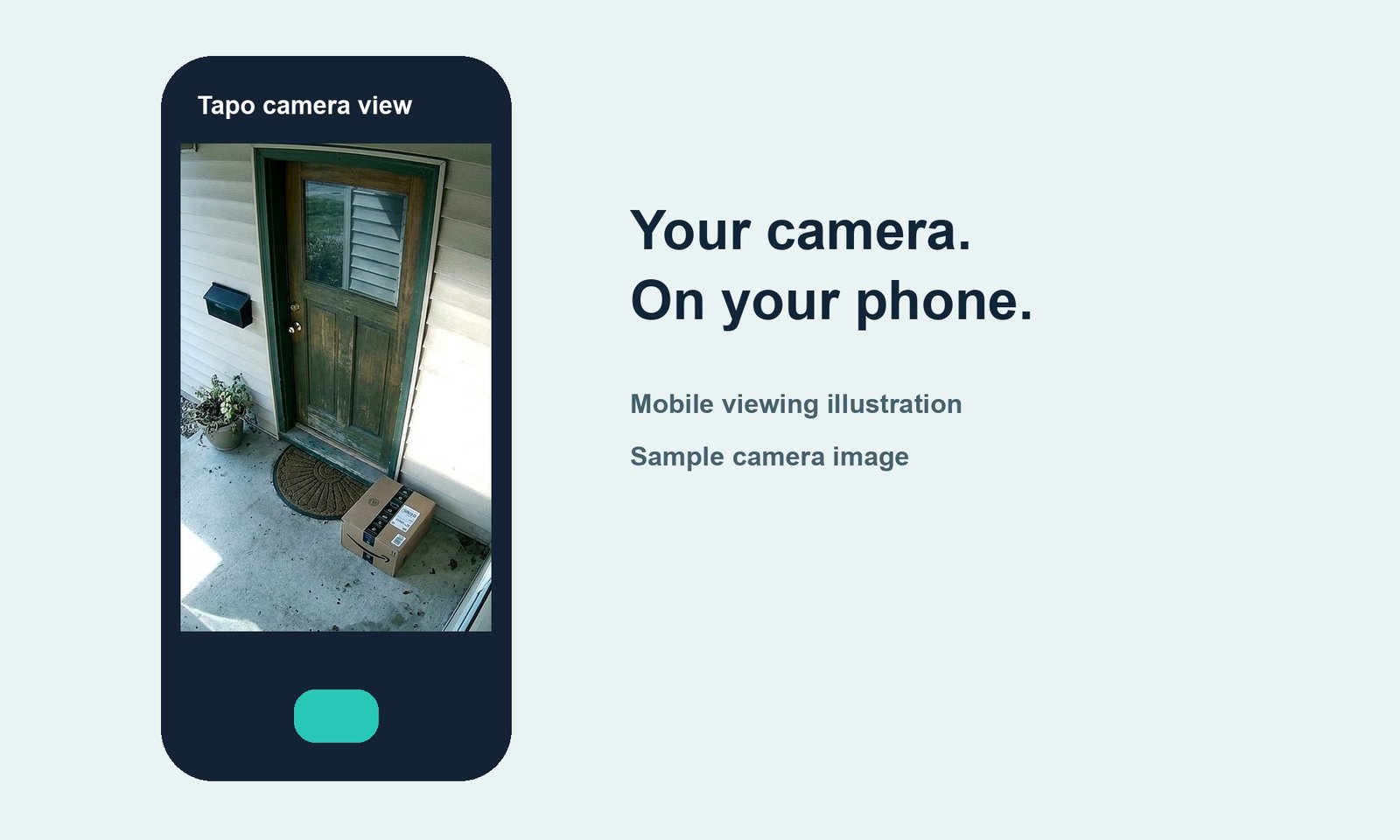
The official Tapo phone app runs only on iPhone and Android, forces portrait orientation, caps interaction at pinch-to-zoom, and shows one Tapo camera at a time. TapoAppForPC v0.1 renders the same Tapo camera streams inside a resizable browser window with a responsive multi-camera grid, scroll-wheel digital zoom, click-drag pan, live AAC audio, and a one-click LAN URL for sharing the feed to any device on the home network. On every dimension that matters on a desktop, grid, zoom, audio, sharing, TapoAppForPC wins six to zero against the phone app.

  • The official Tapo phone app locked to portrait on an iPhone, one camera at a time

    The Tapo phone app

    Official TP‑Link app

    Locked to your phone. One camera at a time. No keyboard shortcuts. No LAN sharing. No way to pop it open on your desktop when you just want a quick look.

  • TapoAppForPC on a MacBook showing a four-camera grid with scroll-wheel zoom, AAC audio and LAN sharing

    TapoAppForPC on a Mac

    Native desktop window

    All your cameras in a responsive grid. Scroll-wheel zoom, click-drag pan, AAC audio. Copy a LAN URL and watch from any device on your network.

Tapo on PC, every existing workaround

All 9 ways to view a Tapo camera on a desktop, scored on the same scale.

Each workaround is scored on seven dimensions: setup time, technical skill, cost, multi-camera grid support, live audio playback, native window rendering, and whether the video stays inside the local home network. Every row uses the same four Tapo cameras for reference: C100, C200, C220, and C520WS.

Before TapoAppForPC shipped, the only ways to connect a Tapo camera to a PC or Mac were Android emulators like BlueStacks, hand-typed RTSP URLs inside VLC, $70 Windows-only NVRs, or Home Assistant running on a Raspberry Pi.

Every score below is honest, including the one for TapoAppForPC itself.

RTSP local network architecture

Stream Tapo cameras to your desktop over your own local network.

TapoAppForPC is a self-contained desktop viewer that runs entirely on your own computer. No server, no cloud relay, no third-party service sits between your camera and your screen.

TapoAppForPC v0.1 ships as a browser-delivered web app with a one-click launcher for Windows, macOS and Linux and a zero-config onboarding wizard. v0.2 will ship signed native Windows and Mac desktop installers with the same camera coverage.

Your Tapo cameras sit on your home Wi-Fi and TapoAppForPC talks to them directly on the local network. No frame ever touches TP-Link's cloud, Amazon's servers, or any third-party relay.

  • 100% local

    Zero cloud dependency. Camera credentials live on your Mac, video streams over your LAN, nothing is sent to us or TP‑Link. Inspect the network traffic yourself.

  • Built on proven streaming tech

    The streaming layer uses battle-tested components that homelab users have run in production for years. What TapoAppForPC adds is the Tapo-specific UI, the onboarding wizard, the camera discovery, and the one-click launcher so none of that plumbing is your problem.

  • No subscription ever

    Pay $9.99 once. Use it forever. Free updates while TP‑Link keeps shipping Tapo cameras. If you don't love it, email us for a no-questions refund within 3 days.

  • Wired Tapo cameras, plus the C425

    Most battery-powered Tapo models (C400 / C420 / MagCam / C465 / C615F) don't support RTSP at the firmware level and cannot be streamed. The Tapo C425 is the exception: it works via TP-Link's native protocol with battery-saving live view, status indicators, and last motion clip. We say so clearly before you buy.
RTSP-supported Tapo models

All 65 Tapo cameras TapoAppForPC supports.

Sourced from TP‑Link's official RTSP support list and verified against real hardware. Type your model number below to check it instantly. Every camera shown speaks RTSP over the local network, which means it streams cleanly inside our app with zero exceptions.

Type a model number to check it instantly.

Browse all 65 supported Tapo cameras Hide the full list

Indoor fixed-lens Tapo security cameras 12 models

  • Tapo C100
  • Tapo C100P
  • Tapo C101
  • Tapo C103
  • Tapo C104
  • Tapo C110
  • Tapo C110P
  • Tapo C111
  • Tapo C113
  • Tapo C120
  • Tapo C121
  • Tapo C125

Indoor pan-tilt Tapo cameras 27 models

  • Tapo C200
  • Tapo C200C
  • Tapo C200P
  • Tapo C201
  • Tapo C202
  • Tapo C206
  • Tapo C207
  • Tapo C210
  • Tapo C210P
  • Tapo C211
  • Tapo C212
  • Tapo C216
  • Tapo C217
  • Tapo C21A
  • Tapo C220
  • Tapo C220C
  • Tapo C220P
  • Tapo C222
  • Tapo C225
  • Tapo C230
  • Tapo C232
  • Tapo C236
  • Tapo C245D
  • Tapo C246D
  • Tapo C250
  • Tapo C256
  • Tapo C260

Outdoor wired Tapo security cameras 11 models

  • Tapo C310
  • Tapo C310P
  • Tapo C320WS
  • Tapo C325WB
  • Tapo C525WB
  • Tapo C526WB
  • Tapo C530WS
  • Tapo C545D
  • Tapo C550WS
  • Tapo C560WS
  • Tapo C575D

Outdoor pan-tilt and 4G Tapo cameras 8 models

  • Tapo C500
  • Tapo C501GW
  • Tapo C510W
  • Tapo C51A
  • Tapo C520WS
  • Tapo C52A
  • Tapo C710
  • Tapo C720

Battery Tapo cameras (RTSP via Tapo Hub) 3 models

  • Tapo C410
  • Tapo C420
  • Tapo C420S

4K outdoor pro Tapo cameras 4 models

  • Tapo C825
  • Tapo C840
  • Tapo C860
  • Tapo C865

Total verified models: 65. If your Tapo camera is wired and appears on TP‑Link's official RTSP list, our app streams it. New 2026 releases are tested and added the same week TP‑Link announces them.

Tapo floodlight cameras on PC

Stream your Tapo floodlight camera on PC.

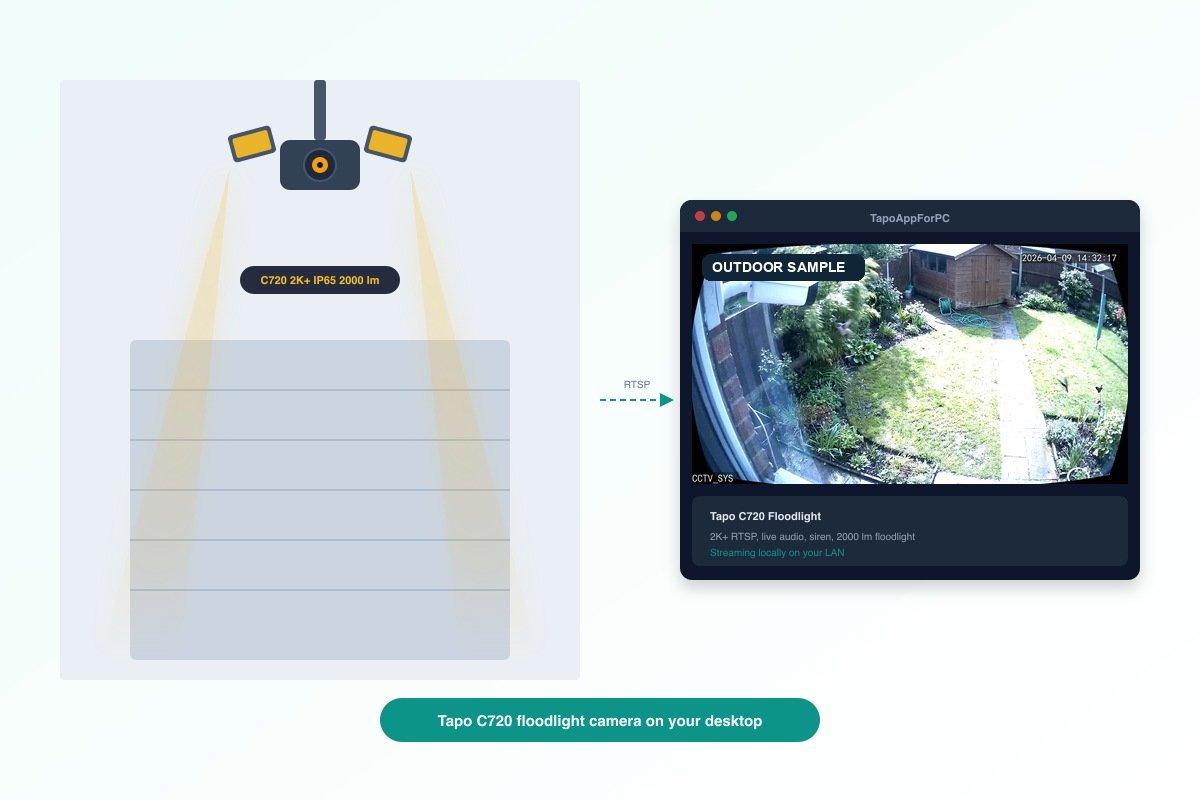
TP-Link ships two Tapo floodlight cameras: the C720 (wired, 2K+, dual floodlight panels, IP65) and the C615F KIT (battery, solar panel, 2K 3MP). TapoAppForPC streams the C720 at full resolution over RTSP with live audio, siren trigger, and floodlight status. The C615F KIT runs battery firmware that disables the RTSP endpoint entirely and cannot be streamed by any third-party desktop viewer.

The Tapo C720 floodlight camera mounts above a garage door or driveway entry and delivers 2000-lumen illumination triggered by the built-in PIR motion sensor. TapoAppForPC renders the C720 feed in the same multi-camera grid as every other Tapo model. Pair it with an indoor C225 pan-tilt and an outdoor C520WS to build a three-camera desktop security dashboard covering the nursery, the front door, and the driveway from one browser window.

Tapo C720 floodlight camera above a garage door streaming to TapoAppForPC desktop window

Battery cameras on your desktop

Stream your solar Tapo on PC. Live battery status, charging indicator, and motion clips included.

TapoAppForPC streams solar and battery Tapo cameras over TP-Link's native streaming protocol. RTSP is not required. The C425 is fully supported: live video on demand, real-time battery percentage, solar charging indicator, last motion clip playback, and a configurable auto-stop timer that ends the stream after a set duration to limit battery draw. The C460 MagCam 4K, C420, and C400 are in integration testing with no confirmed release date. The C465 MagCam 4K (built-in solar) and the C615F KIT run a firmware variant that disables the streaming endpoint entirely; these models are not supported. The technical reasons are documented in the compatibility table below.

Tapo C425 product photo

Tapo C425

The C425 is now supported via TP-Link's native streaming protocol. Instead of always-on RTSP, TapoAppForPC uses the same native protocol the Tapo phone app uses, so the battery only drains when you choose to view live video. Python 3 and pytapo are required for the battery-specific features.

The facts

CameraFeatureStatus
Tapo C425 Power source Internal battery plus optional solar panel
Tapo C425 Wireless type Wi-Fi only, no Ethernet, no PoE
Tapo C425 RTSP server Stripped from firmware. TapoAppForPC uses the native streaming protocol instead
Tapo C425 Native protocol Supported via native protocol (not RTSP)
Tapo C425 Live streaming On-demand, auto-stops to preserve battery
Tapo C425 Battery % indicator Displays current charge level
Tapo C425 Solar charging status Shows whether solar panel is actively charging
Tapo C425 Last motion clip Plays the most recent detected motion event without a live stream

Why it cannot work

  1. Tapo C425 uses native streaming protocol instead of RTSP
  2. Native protocol enables on-demand live streaming without always-on battery drain
  3. TapoAppForPC supports C425 live view, battery status, solar status, and last motion clip
Tapo MagCam product photo

Tapo MagCam

Same story as the C425. The MagCam runs on a removable battery to stay magnetic and wire-free, so TP-Link removed the live-stream server to make a charge last weeks instead of hours.

The facts

CameraFeatureStatus
Tapo MagCam Power source Removable rechargeable battery
Tapo MagCam Mounting Magnetic, no fixed power cable
Tapo MagCam RTSP server Disabled in firmware
Tapo MagCam Phone app stream Works via TP-Link cloud

Why it cannot work

  1. Tapo MagCam is a wire-free magnetic battery camera
  2. Wire-free design requires aggressive sleep mode
  3. Sleep mode disables continuous RTSP streaming

Tapo D-series video doorbells (D230, D235)

Doorbells stream through TP-Link's cloud, not over standard RTSP. They use a different protocol designed for low-latency push notifications, which our app does not speak.

The facts

CameraFeatureStatus
Tapo D-series video doorbells (D230, D235) Device type Smart video doorbell
Tapo D-series video doorbells (D230, D235) Streaming protocol Proprietary TP-Link cloud relay
Tapo D-series video doorbells (D230, D235) RTSP support Not exposed, cloud-only
Tapo D-series video doorbells (D230, D235) Phone app stream Works via Tapo app

Why it cannot work

  1. Tapo doorbells use a proprietary cloud relay protocol
  2. Cloud relay bypasses standard RTSP entirely
  3. TapoAppForPC speaks RTSP only, by design

Tapo camera accessories

Tapo camera accessories for the best desktop streaming setup.

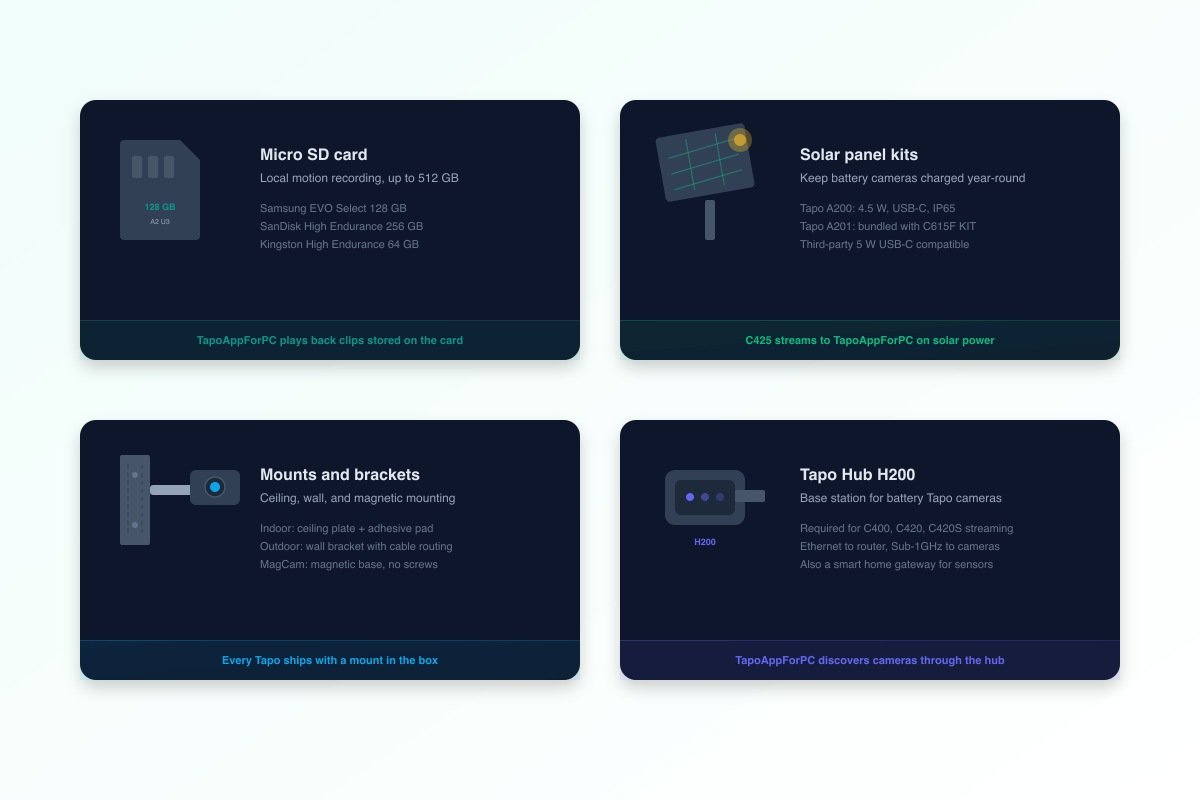
A Tapo camera and TapoAppForPC handle the streaming. These four accessory categories handle everything else: local recording storage, solar charging for battery models, physical mounting, and the hub that unlocks battery camera streaming on your desktop.

Four Tapo camera accessory categories: micro SD card, solar panel, wall mount, Tapo Hub H200

Best micro SD card for Tapo cameras

Every Tapo camera records motion events and continuous footage to a micro SD card inserted in the camera body. TapoAppForPC plays back motion clips stored on the card through the local network. Tapo cameras support cards up to 512 GB in FAT32 or exFAT format.

  • Samsung EVO Select 128 GB micro SD card
    Samsung EVO Select 128 GB. A2 rated, 130 MB/s read, tested in a C225 running continuous recording for 90 days with zero corruption. The default recommendation for most Tapo owners. Check price on Amazon
  • SanDisk High Endurance 256 GB micro SD card
    SanDisk High Endurance 256 GB. Built for continuous-write surveillance workloads, rated for 20,000 hours of 1080p recording. 4.7 stars from 70,000+ reviews. The pick for outdoor cameras running 24/7. Check price on Amazon
  • Kingston High Endurance 64 GB micro SD card
    Kingston High Endurance 64 GB. Budget option for motion-only recording on a single indoor camera. 64 GB stores roughly 5 days of motion clips at 2K resolution. Check price on Amazon

Tapo solar panel and charging kits

The Tapo C425 battery camera and C420 series drain their 6700 mAh battery in 4 to 14 days depending on motion frequency. TP-Link's Tapo A200 solar panel (4.5 W, USB-C, IP65 weatherproof) maintains a full charge in most climates with 2 or more hours of direct sunlight per day. The A201 ships bundled with the C615F KIT. Third-party 5 W USB-C solar panels from Wasserstein and UYODM also work with the C425's charging port. Tapo A200 on Amazon

Mounts and brackets for Tapo cameras

Indoor pan-tilt Tapo cameras (C200, C210, C220, C225) ship with a ceiling mount plate and adhesive pad. Outdoor bullet cameras (C320WS, C325WB) include a wall-mount bracket with cable routing. The C520WS outdoor pan-tilt ships with a heavier-duty adjustable bracket rated for IP66 wind loads. For magnetic mounting, the C460 MagCam base attaches to any steel surface without screws.

Tapo Hub H200

The Tapo Hub H200 is a base station that connects battery Tapo cameras (C400, C420, C420S) to your home network over a Sub-1GHz radio link. Without the H200, these battery models cannot stream to any desktop viewer. With the H200 connected to your router via Ethernet, TapoAppForPC discovers the battery cameras on your LAN and streams them through the hub at their native resolution. The H200 also acts as a Tapo smart home gateway for sensors, doorbells, and contact sensors. Tapo H200 on Amazon, $29

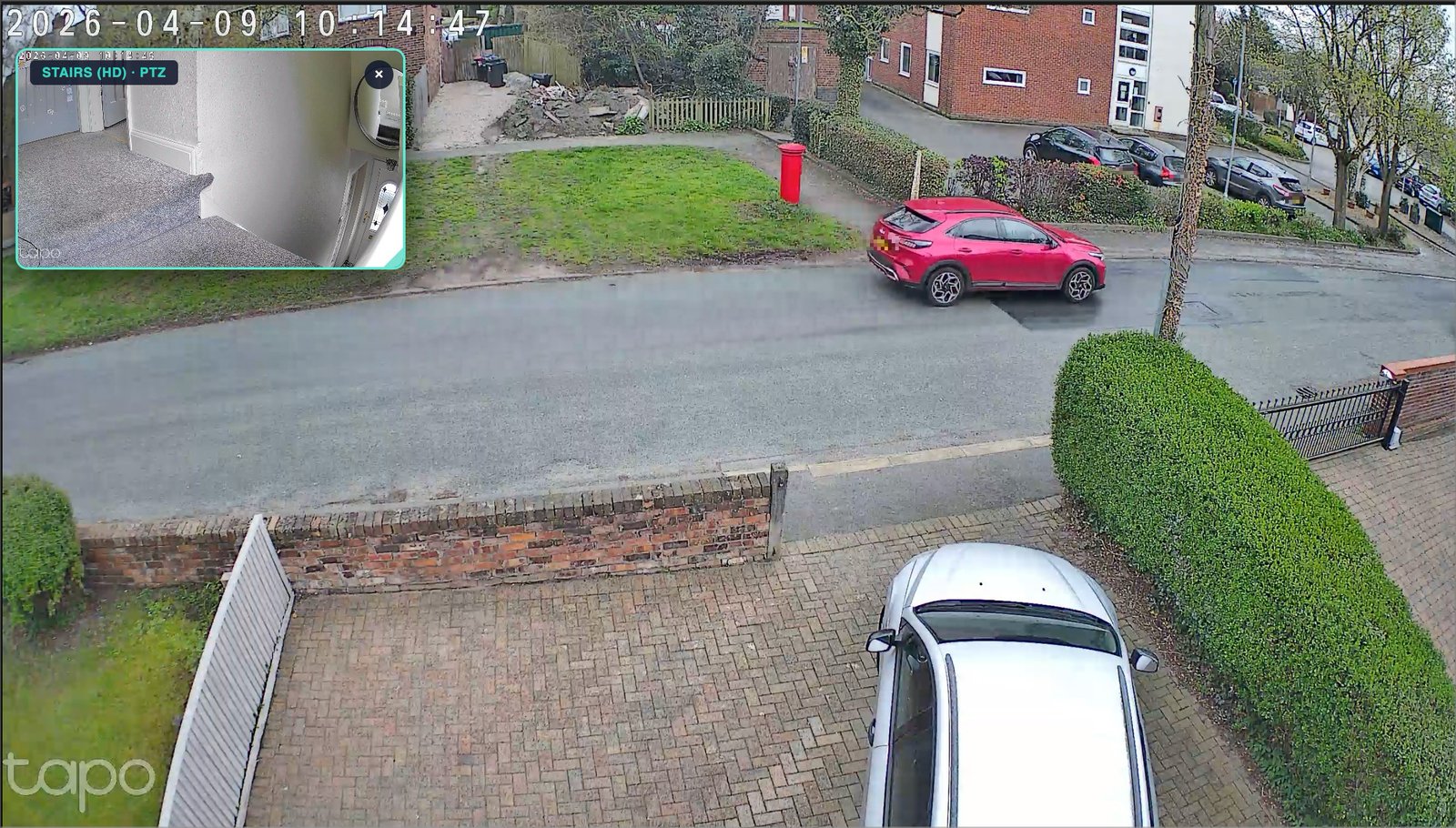
TapoAppForPC showing a live Tapo C520WS outdoor camera feed with a stairs PTZ camera in a picture-in-picture overlay
TapoAppForPC Live HD Tapo cameras on Mac & Windows.
  • Multi-camera grid with per-tile zoom, pan & fullscreen
  • Picture-in-picture for any second camera
  • Live AAC audio · digital PTZ control
  • 100% local. No cloud. No subscription.

Three ways to watch Tapo on your desktop.

Secure checkout via PayPal · Apple signed · Windows code signed · Instant download when released

Tapo on PC questions

Tapo app for PC: login, download, and setup questions.

Is there an official Tapo app for PC?

No. TP-Link released the Tapo app for iOS and Android only. Their official PC workaround is VLC with RTSP URLs or an Android emulator like BlueStacks. TapoAppForPC is the native desktop app TP-Link has not built.

Which Tapo cameras does TapoAppForPC support?

TP-Link's RTSP support list covers 60+ Tapo models; all of them work with TapoAppForPC. Supported families: C100/C101/C103/C104/C110/C111/C113/C120/C121/C125 indoor fixed; C200/C201/C202/C206/C207/C210/C211/C212/C216/C217/C220/C222/C225/C230/C232/C236/C250/C256/C260 indoor pan/tilt; C310/C320WS/C325WB/C520WS/C525WB/C526WB/C530WS/C550WS/C560WS outdoor; C420/C420S/C500/C510W/C720 wireless and battery-with-hub; C825/C840/C860/C865 4K outdoor. The C425 battery camera connects via TP-Link's native protocol, streaming live video, battery percentage, solar charging status, and last motion clip without always-on RTSP. Unsupported battery models: C465 MagCam, C615F KIT, C400, C420 standalone.

How do I log in to TapoAppForPC?

You do not log in to a cloud account to use TapoAppForPC. Open the app, scan your network, and enter each camera's local Camera Account credentials from the Tapo phone app. TapoAppForPC does not require a separate online login.

Do I need to register for TapoAppForPC?

No. TapoAppForPC does not require account registration, email signup, or a cloud profile. After download, you open the app locally and connect directly to your cameras on your own network.

How do I uninstall TapoAppForPC?

TapoAppForPC v0.1 is a local browser-based app with a bundled local engine. To uninstall it, stop the local engine if it is running, then delete the app folder or ZIP contents you extracted. No cloud account remains to delete because no account is created in the first place.

What does TapoAppForPC do that VLC does not?

VLC requires manual IP lookup, per-camera RTSP URL entry, and mishandles the Tapo audio codec, producing no audio on most builds. TapoAppForPC auto-discovers cameras, restores audio, renders all feeds in a shared grid with digital zoom and LAN sharing, and reaches a working grid in under a minute.

Do I still need Home Assistant, Frigate, or BlueIris?

The live-grid streaming experience is the same as Home Assistant, Frigate, or BlueIris. TapoAppForPC removes the prerequisite of installing Home Assistant, writing YAML, or managing Docker containers. Everything runs pre-configured from a one-click launcher.

Does TapoAppForPC send my camera password to the cloud?

TapoAppForPC runs entirely on your local machine. Your Tapo password is stored on your Mac or PC, video streams over your home Wi-Fi, and no data is transmitted to any external server. Network traffic is open to your own inspection.

Can I view my Tapo cameras on a second device?

TapoAppForPC exposes a local URL (e.g. http://192.168.0.107:1984/) that any device on your Wi-Fi opens in a browser: a second Mac, a Windows PC, a phone, a tablet, or a smart TV browser. No additional installation required.

Can TapoAppForPC stream cameras outside my home network?

Remote access is off by default, a deliberate security boundary. For remote viewing, install Tailscale (free) on both devices; the camera stream works from any network without opening router ports. A setup guide is included.

Is there a free trial or refund?

TapoAppForPC runs a free beta programme at <a href="/beta/">tapoappforpc.com/beta</a> when testing new features. The beta may be open or closed depending on when you visit. The paid version ($9.99) includes a 3-day no-questions-asked refund. If it does not work with your cameras, email us and we return the full amount.

Which battery Tapo cameras does TapoAppForPC support?

The C425 is supported via TP-Link's native protocol. The remaining battery models, C465 MagCam, C615F KIT, C400, C420 standalone, are unsupported because TP-Link disables streaming at the firmware level to preserve battery life. TapoAppForPC will not support those models unless TP-Link changes that firmware behavior.

I already run Home Assistant. Why would I buy TapoAppForPC?

If your Home Assistant or Frigate setup already streams your cameras, TapoAppForPC adds nothing for you. TapoAppForPC targets users who do not want to configure Home Assistant to watch a Tapo camera on their Mac.